Documentation · Explorer
Explorer
A server-side file manager for broad filesystem work, separate from the project-oriented Editor.
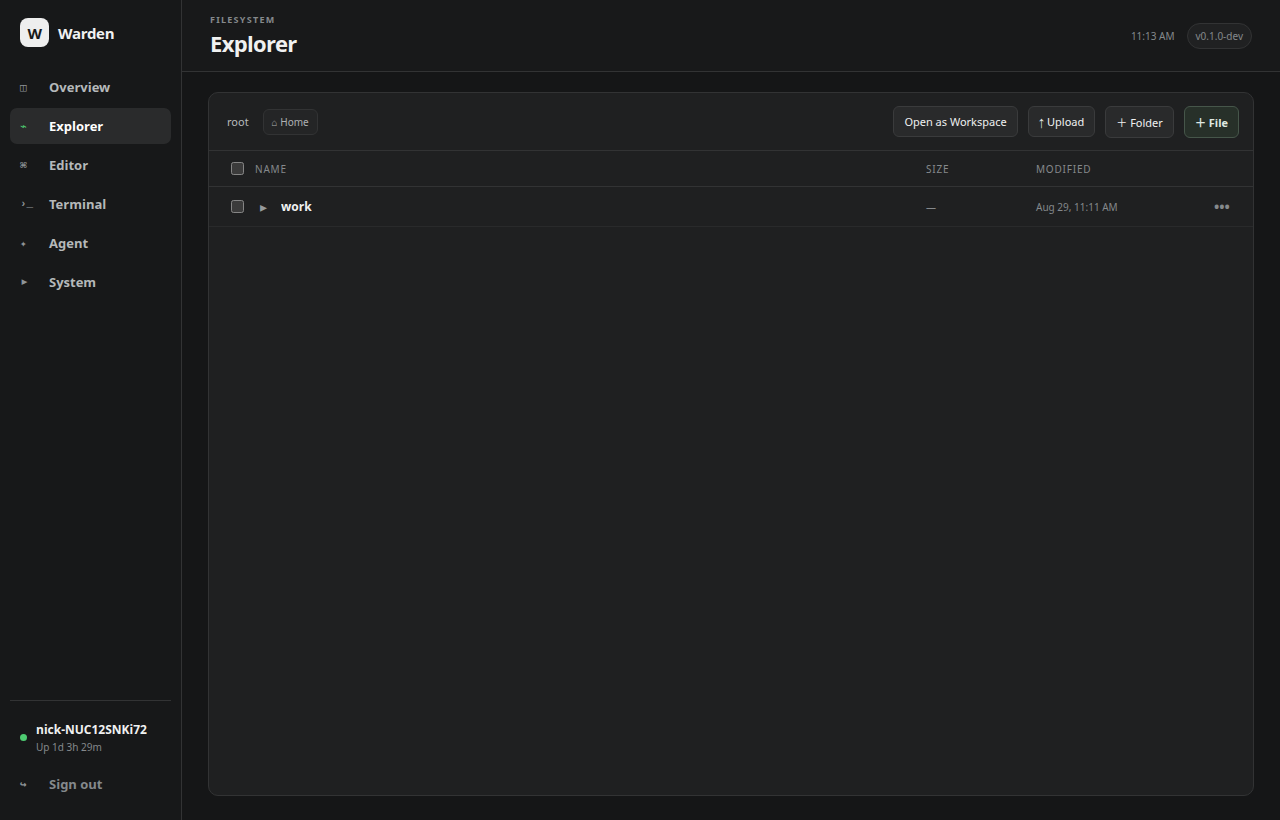
Navigation
Explorer starts at the server user's home directory when it is inside the configured file root. Root-aware breadcrumbs and the Home shortcut make movement explicit, while inline directory expansion keeps nearby context visible.
File operations
- create files and folders;
- upload and download files;
- multi-select copy, move and delete;
- download selections as archives;
- ZIP compression and extraction with path-confinement checks;
- image, audio and video preview;
- open the currently browsed directory directly as the Editor workspace.
Confinement
All Explorer paths are resolved against the configured root, including symlink resolution, rather than accepted by string-prefix checks. Set WARDEN_FILE_ROOT to a narrower subtree when Warden should not manage the whole filesystem.
Live filesystem refresh
While Explorer is visible, Warden refreshes the current directory every few seconds so files created, removed or renamed by terminals, agents and other processes appear without a manual reload. Expanded directories are reconstructed after each refresh instead of collapsing.